
 16 January 2010 in Dynamic Widgets
Dynamic Widgets 1.0
This is the first release of Dynamic Widgets. A plugin for WordPress which gives you more control over your widgets. It lets you dynamicly place widgets on WordPress pages by excluding or including rules for the homepage, single posts, pages, categories and archives.
The plugin has been written out of frustration Sabine from (Warning: Shoes addict ahead) stilettogirl.nl had. She wanted to have more control over the widgets. After looking into a couple of already existing plugins which were not satisfactory, she came to me. Of course I couldn’t say no to her and ‘Dynamic Widgets’ was born.
To demonstrate the plugin, you’ll not see a ‘Recent Posts’ widget at the left side in the sidebar on the front page. On other pages (About, this single post, the Dynamic Widgets Category page) the ‘Recent Posts’ widget is displayed.
The widget ‘Dynamic Widgets’ which shows the latest release and a download link of the plugin is only displayed at the front page, the Dynamic Widgets page and the Dynamic Widgets Category page.
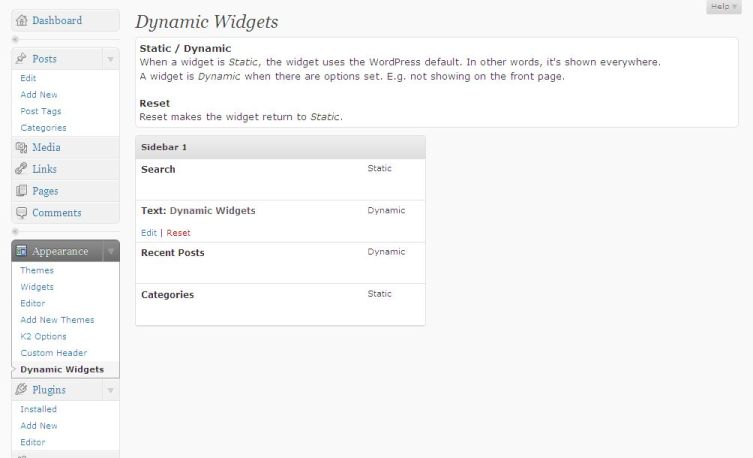
Widgets Overview
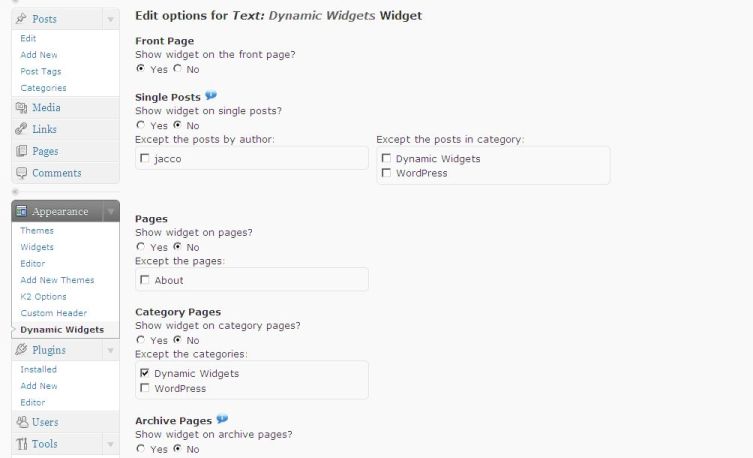
Widget Options
2 Comments to “Dynamic Widgets 1.0”
Like Dynamic Widgets? Like my FB!
All about QURL
Generous donations by
- Annalee Antiques
- Bill Bennett
- Biltmore Etc
- Chirimoya
- Clinica Dental Ontinyent
- Cruise Norway
- Diablo Motorsports
- DMC Technology
- English Language Centre
- Law Library Association of Maryland
- Nesbitt Realty
- NOLAtrader
- North American Birds photos
- Pferdehof Moisburg
- Places.com
- Realty Software & More
- RockSolidClouds
- WordPress expert Ari Salomon
- Zen strategy
- Zevic Mishor


18 January 2010 at 18:13
I’m so happy with this plugin. You’ve done a tremendous job! Thank you so much. 🙂 Very cool you’ve released the plugin to the public. I think a lot of WordPress users will love it.
19 January 2010 at 20:49
I already tried 2 plugins of that kind. Display widget is simple but doesn’t allow to select all single posts in a defined category. Widget Logic seems to do what you desire but you must write your own conditionnal tags. Dynamic widgets is the best of two worlds … I hope the widget will survive next WordPress upgrades, it would be difficult to leave it once used in a site.
Thanks.
François Delattre